
The AP Fraud Cycle Nobody Designed
Three permissions in NetSuite are all it takes to invent a vendor, post a bill, and release a payment — and most AP roles already hold all three.
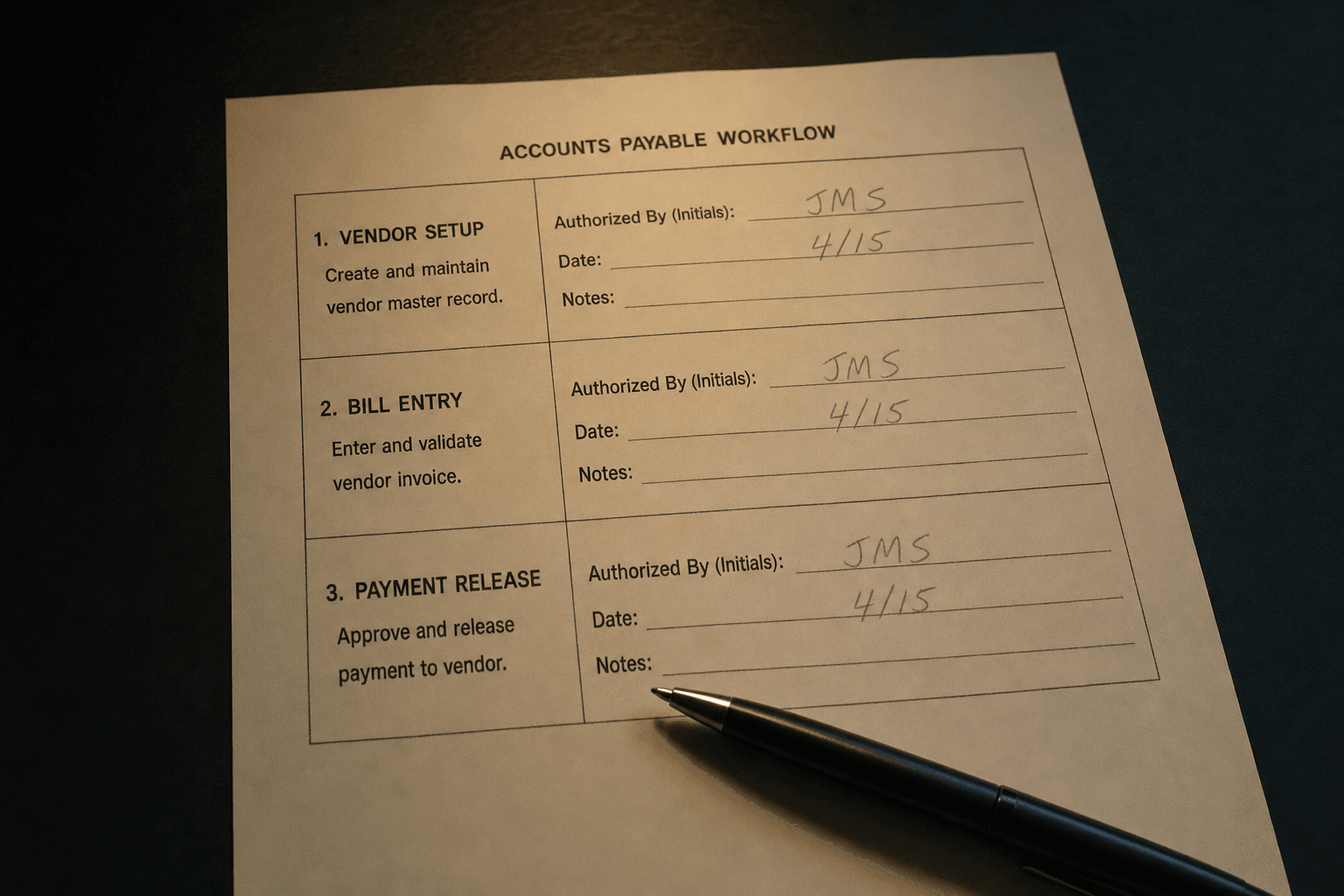
What the Gap Actually Is
In NetSuite, three permissions define the entire AP fraud cycle:
- Lists > Relationships > Vendors (Create/Edit) — stand up a new vendor record
- Transactions > Payables > Enter Bills (Create) — post a bill against any vendor
- Transactions > Payables > Pay Bills (Create) — execute a payment run
A user holding all three can invent a vendor, invoice against it, and release the payment. No workflow interrupts this if the same role that submits the bill also holds approval authority. In most NetSuite environments, it does.
It is the AP Coordinator role that started as "just enter bills" and picked up vendor access during a month-end scramble eighteen months ago. Nobody revoked it. The role got cloned for the next hire.
How the Access Accumulates
Nobody architects a fraud-ready role intentionally. It happens one approved request at a time.
Finance is behind on close. The coordinator cannot create a vendor. Someone with admin access adds the permission temporarily. Temporary becomes permanent because there is no process to remove it. Six months later the role gets duplicated for a contractor. Now four employees hold a permission set nobody designed.
Full Access roles accelerate this. I have seen Full Access assigned to employees who needed to run a single saved search. Full Access in NetSuite is exactly what it says — every permission on every record, including Vendors (Create) and Pay Bills (Create). Auditors find them every time. The explanation is always that it was supposed to be short-term.
Why Approval Workflows Do Not Close This
NetSuite's native bill approval — basic approval preference, a workflow, or SuiteApprovals — does not address the SoD gap if the same access exists on both sides.
Approval routing adds a step, not a control. If the approver role carries Vendors (Create) or Pay Bills (Create), the approval is cosmetic. The person reviewing the bill could have created the vendor and run the payment themselves. There is no meaningful separation.
A real control routes approval to a role that cannot complete the rest of the cycle. The approver can review, approve, or reject — and cannot stand up a fake vendor or initiate payment independently. That is a constraint built into the permission matrix, not into trust.
Check who your bill approval workflow routes to. Then check what permissions that role carries.
Finding the Overlap
Do not look at the org chart. Look at the permissions.
Pull every custom role and read the permission list. You are looking for roles that combine Vendors (Create/Edit), Enter Bills (Create), and Pay Bills (Create) — in a single role or spread across multiple roles assigned to the same employee. Stacked roles are easy to miss. An employee with an AP role and an admin-lite role can hold the full cycle across two assignments.
The employee-to-role assignment side is queryable with a saved search on Employee joined to Role. What you find is almost never a single bad actor. It is a structural problem distributed across several roles nobody has reviewed since they were built.
What to Actually Do
Split the functions. Not just the approvals — the functions.
Vendor creation belongs in a role that cannot enter bills and cannot run payment batches. Nobody in AP should be creating vendors as a routine part of their job.
Bill entry belongs to AP processors who cannot create vendors and cannot release payments.
Payment approval and execution belong to a separate role — AP Manager, Controller, whoever — that did not create the vendor and did not post the bill.
Three roles. Most environments are trying to get by with one or two.
Once the roles are rebuilt, audit them quarterly. Role assignments change with every hire, departure, and transfer. The clean state you audit today is not the state that exists in nine months without active maintenance.
Bottom Line
The SoD gap in NetSuite AP is structural, not subtle. It is a single over-permissioned role and no one checking the overlap.
Native approval workflows do not close it if the same access exists on both sides. The org chart does not close it. Trust does not close it. The only thing that closes it is a permission matrix that makes the cycle physically impossible for one person to complete — and a review cadence that keeps it that way.
Audit the roles. Not what they were supposed to be. What they actually contain now.
Dealing with this in your own NetSuite account?
We fix exactly these problems in production. Run a free read-only health scan, or talk to a senior NetSuite consultant who has seen it before.

Written by Mike Pagani, founder of Adaptive Solutions Group — a NetSuite consultancy based in Pittsburgh, PA. Mike has been building SuiteScript automations, integrations, and NetSuite rescue projects since 2013.